Hair Empire Getting Started Guide
From empty chair to paying customers without wasting your first hour.
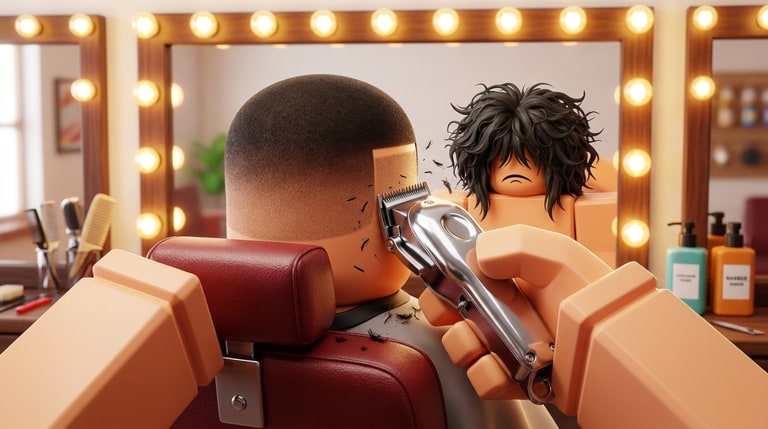
Welcome to Hair Empire — ChopChop Studios’ Roblox barbershop simulator also listed as Barber & Salon Empire. You snip, clip, and fade customers for cash, then rebuild a basic chair into a neon VIP palace. This beginner guide gets you through the confusing first session so the rest of the wiki actually makes sense.
What you are trying to do
The fantasy is simple. Customers arrive wanting a cut. You perform the styling interaction, collect payment and tips, then spend earnings on:
- More chairs and stations
- Tools and quality-of-life helpers
- Decor that raises shop appeal
- Hired barbers who keep earning while you manage the floor
- Flashy neon, arcade machines, and VIP styling areas described on the official page
Everything else — codes, Game Passes, PvP moments — supports that loop.
Minute-by-minute first session
- Load in and look left. The left HUD holds shop, Codes, and related shortcuts. Open how to redeem later; for now just note the Codes button exists.
- Find your starter chair and tools. Interact with the first client prompt. Do not sprint into build mode before you complete one successful payout.
- Finish one clean cut. Watch the timing or path prompts carefully. A botched first cut teaches less than a perfect one that shows the full cash flow.
- Collect and clean. If you do not own Auto Collect & Clean yet, manually grab cash and reset the chair so the next customer can sit.
- Buy the cheapest productivity upgrade. Extra chair capacity or a small tool upgrade beats a giant neon sign on hour one.
- Hire help when you can afford it. Staffed chairs are how Hair Empire turns into a true empire instead of a single sweaty seat.
Early mistakes to skip
- Spending every tip on cosmetics before a second chair exists
- Ignoring the till / offline timer once you hire barbers — Bigger Till exists for a reason
- Pasting codes from unrelated salon games (see the Codes Hub)
- Buying Precision Build or 2x Item Limits before you understand the layout
- Leaving trash or unfinished chairs blocking the queue
How Game Passes fit day one
You do not need Robux to progress. If you do spend, prioritize quality of life that multiplies time: Auto Collect & Clean, then 2x Cash, then Bigger Till. Full rankings live on the gamepass tier list. Golden Tools and VIP are nice flex upgrades once the floor already runs.
What to read next
- Earn cash fast — tighten the cut-collect loop
- Shop upgrades — furniture order and VIP planning
- Haircut tips — fewer failed styles
- Upgrade priority — spend order cheat sheet
- Updates — rename notes, PvP tag, and Hair Cut League history
Hair Empire rewards calm operators. Master one chair, then two, then a glowing VIP corner. The neon can wait until the register never sits empty.
Controls mindset (platform agnostic)
Whether you tap on mobile or click on PC, the important bindings are interact, confirm minigame timing, and open the left HUD. If an interaction fails, step closer to the chair and try again before assuming the game broke. Camera collisions with neon props are common once you decorate — leave a little space around each seat.
First-day checklist
- One successful payout completed
- Codes button located
- Second chair purchased or saved for
- At least one cleanup habit practiced
- ChopChop Studios group joined via the links hub
- This wiki bookmarked beside the Roblox favorite star
Finish that list and you are no longer a tourist. You are an owner with a plan — which is exactly when earn cash fast and shop upgrades start to feel exciting instead of overwhelming.
Frequently Asked Questions
Quick answers for Hair Empire players.
Is Hair Empire free to play?
Yes. The Roblox experience is free. Game Passes are optional boosts.
Is it the same game as Barber & Salon Empire?
Yes. Players call it Hair Empire; Roblox currently lists it as Barber & Salon Empire by ChopChop Studios.
How many players share a server?
Servers are small (about seven players), so your salon stays readable instead of overcrowded.
Where do I redeem codes as a beginner?
Use the Codes button on the left HUD. Full steps are on how to redeem.